
Today, SIM cards are used not only in smartphones. More and more devices — from GPS trackers and security alarms to drones, scooters, and agricultural machinery — require a stable connection to mobile networks. For this purpose, special M2M SIM cards (Machine-to-Machine) are used, providing data exchange between the device and the server. Their main advantages are reliability, roaming support, and centralized management capabilities.
In this article, we’ll explain how to properly connect a SIM card to a device, what steps are required for configuration, and what important details to consider when working with IoT devices.
1. Which devices use SIM cards
The use of M2M SIM cards is constantly expanding. They are used to connect equipment that requires continuous data transmission or instant response. For example:
- GPS trackers for trucks and passenger cars
- Video surveillance and alarm systems
- IoT sensors and detectors
- Drones and robotic machinery
- Electric scooters, bicycles, and car-sharing services
- Cash registers and POS terminals
- Parcel lockers
In all these cases, the SIM card ensures not only internet access but also a stable connection, remote monitoring, and device management. 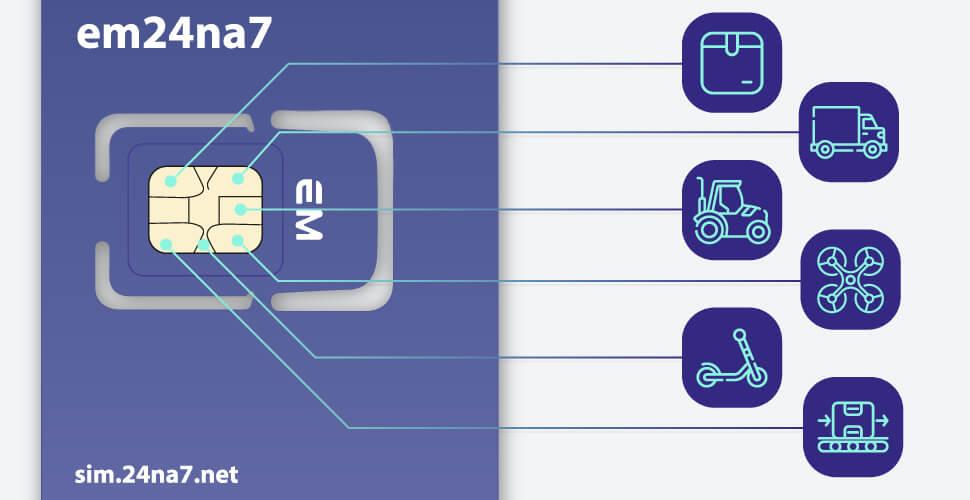
2. Step-by-step guide: how to connect a SIM card
The connection process is similar to installing a regular SIM card in a phone, but M2M devices have specific features. Let’s look at the basic steps using our client portal as an example:
Important! Before inserting the SIM card into the device, make sure the access point (APN) is set to: em
No additional settings or white/black lists are required. If needed, they can be configured later directly in the client portal.
To get started, log in to the client portal: https://sim.24na7.net/
using your personal login and password.
Step 1. Adding SIM cards to your account
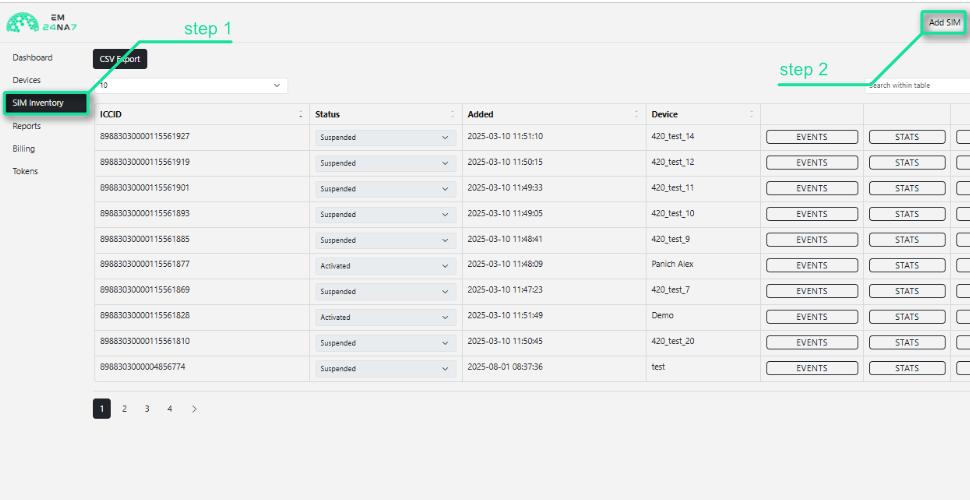
Add the received SIM cards to your account.
After clicking the “Add SIM card” button, a field will appear where you need to enter the ICCID printed on the card and click “Confirm.”
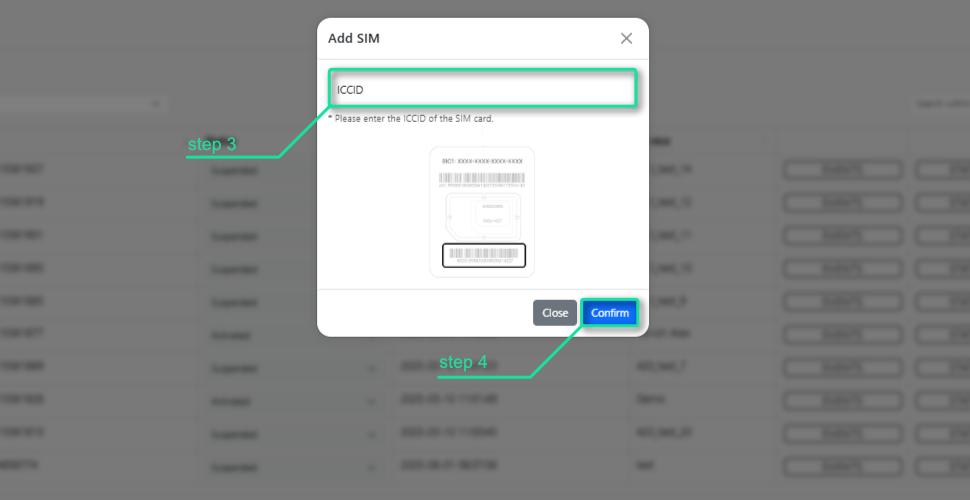
After that, the SIM card will appear in your account with the status “Issued.”
Note that adding a SIM card does not activate it; it only allows tracking and further activation for full operation.
Step 2. Creating a device to connect the SIM card
Go to the “Devices” section in your account and click “Add device.” 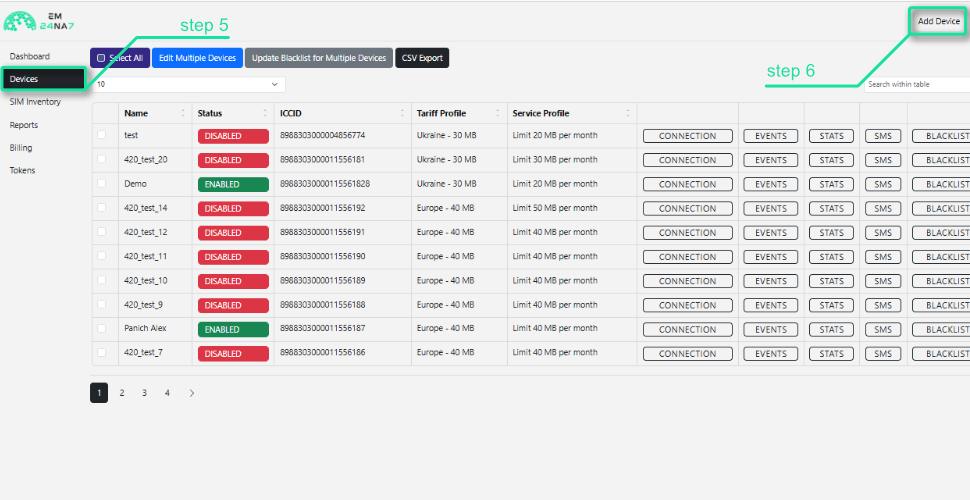
In the “Name” field, enter any label for easy identification (vehicle number, client name, device IMEI, etc.). In the “SIM” field, select one of the previously added SIM cards from the dropdown list.
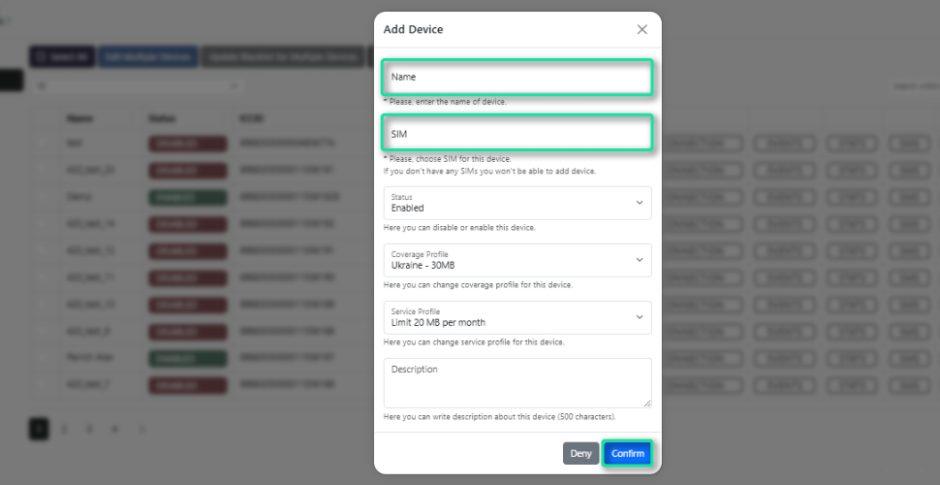
After clicking “Confirm,” the SIM card will be activated and appear in your active list with the status “Enabled.”
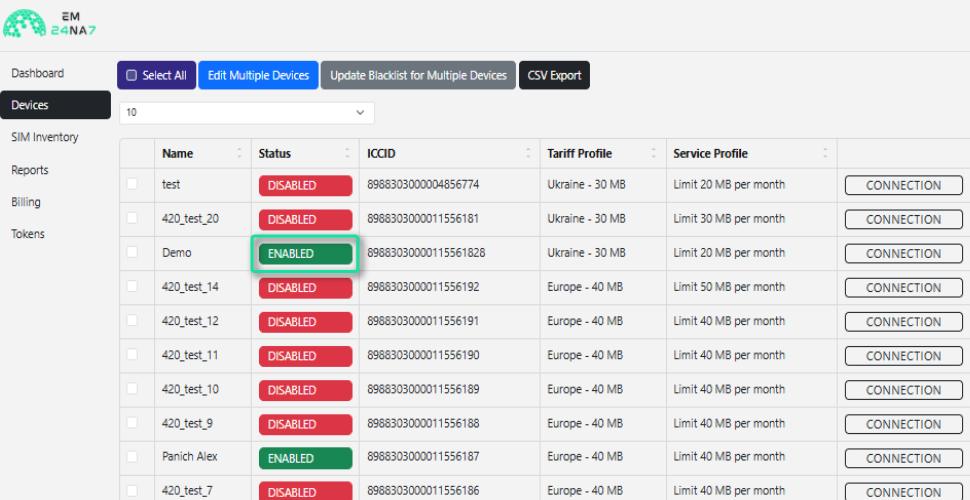
Your SIM card is now fully ready for use.
Step 3. Installing the SIM card into the device
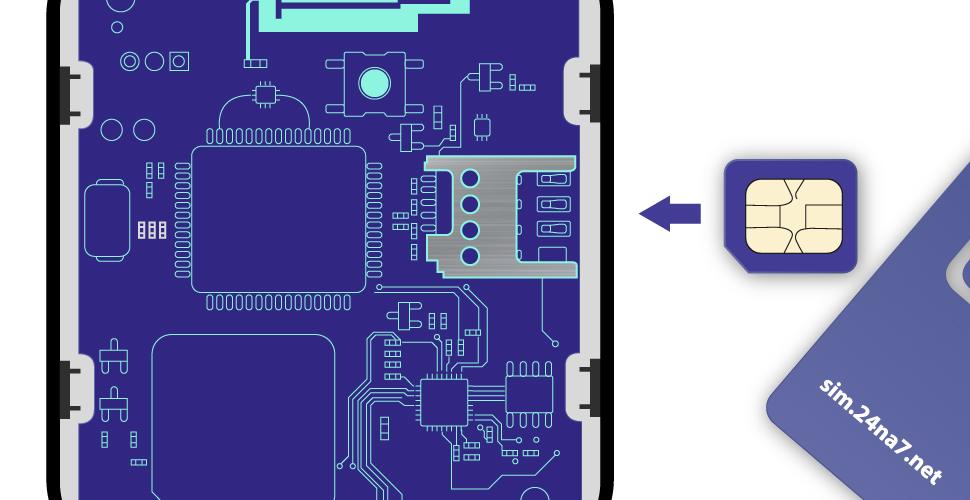
Usually, the SIM slot is hidden under a cover or located near the battery. Insert the card when the device is powered off. Make sure the SIM is properly seated and doesn’t move.
Important! If your device has two SIM slots, make sure to configure our APN em in the correct one.
Step 4. Testing the connection
After setup, power on the device. If the SIM has registered in the network, you’ll see the indicators on the device or in your online account.
The next step is to check data transmission through your monitoring platform.
3. Configuration specifics for different devices
Although the SIM connection process is generally similar, each type of device has its own nuances. The tariffs suitable for GPS trackers may not work for POS terminals or IoT sensors. Different categories of equipment use mobile data differently: some transmit large volumes in real time (e.g. video cameras), others send just a few kilobytes per day (temperature or humidity sensors), while others require highly secure, always-on channels (POS terminals).
GPS trackers
For proper operation, you need to configure not only the APN but also the IP address and port for data transmission. This is usually done via SMS commands or through the device’s configuration software.
POS terminals
These devices require a highly stable internet connection, often with private APN and VPN encryption. Even a short connection drop can disrupt a transaction.
IoT sensors
Such devices use minimal traffic, but it’s important to optimize them to reduce costs — for example, by enabling sleep mode and setting periodic data transmission.
4. What to consider when choosing an M2M SIM card
Installing a SIM is just the first step. To ensure stable operation, several factors should be considered:
- Geography: Roaming across Europe — essential for transport and logistics.
- Security: Private IP address + VPN — ensures protection and remote management.
- Optimal data plan — IoT sensors need only kilobytes, while video systems require gigabytes.
- Real-time data transmission — ideally, SIM cards should support live data exchange, like ours do.
- Technical support — unlike typical ticket systems that leave users waiting, our support team is available directly via phone, chat, or email for faster issue resolution.
These factors directly affect both system reliability and service costs.
5. Common connection mistakes
In practice, several common issues can easily be avoided:
- Incorrect or missing APN configuration.
- APN set in the wrong SIM slot.
- Physical damage — dust or dirt on the SIM contacts during installation.
- Inserting the SIM card while the device is powered on.
To avoid these problems, it’s best to prepare all configuration data in advance and check device compatibility with your SIM card.